Login with User Code
User Code: this code is required to access your account through the website or the Millennium App
I don't have or remember this code

Invalid access data

Fill in the user code

Or with Digital Mobile Key

How does it work? Gov.pt

Not a Customer yet?

Open an account online
Código de Utilizador This code is required to access your account through the website or the Millennium App
We have a Specialist waiting for you

Contact Centre opening hours:
Weekdays from 8:30 a.m. to 5:30 p.m.


The cost of communications depends on the tariff agreed with your Telecom Provider.

Confirming for suppliers

Getting paid now and before the due date is fully secured
A digital solution for all suppliers, whether they are our Customers or not.

How Confirming works for suppliers

Liquidity doesn’t have to wait. Receive funds in minutes

Payment notice

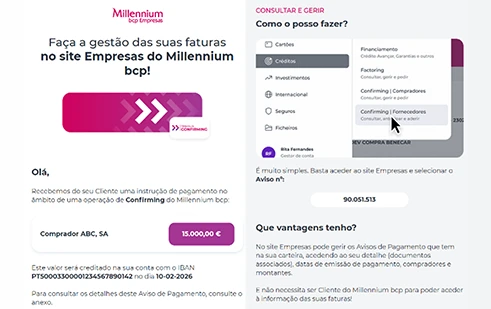
We start by sending a notification to your Customer, including the Payment Notice details:

Name of the purchasing entity;

Amount and payment date;

Account for crediting the funds and the reference for early payment.
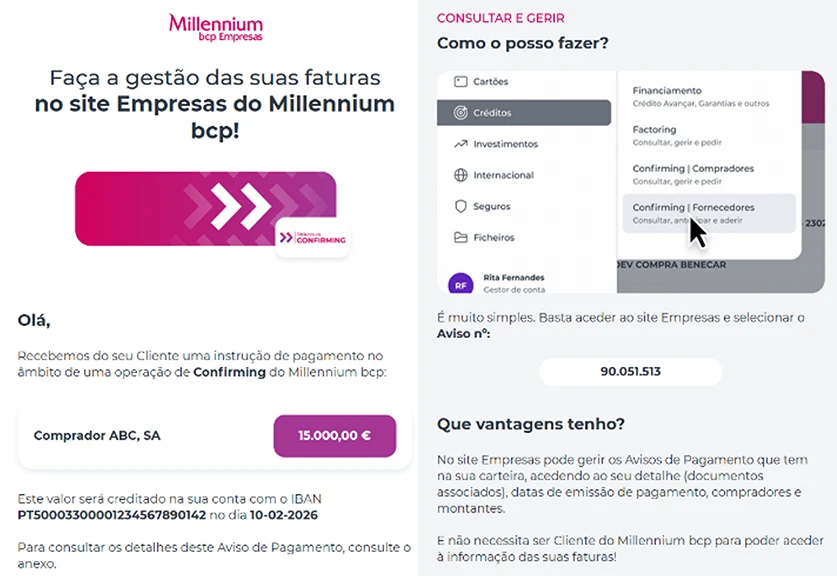
Advance payment proposal

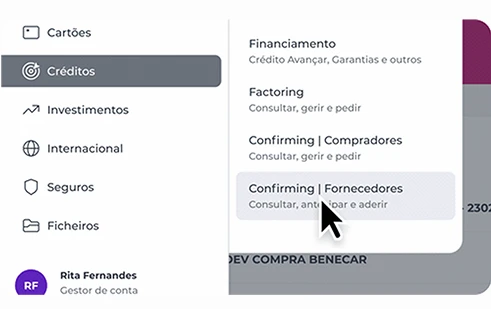
If you have received a funding advance proposal and wish to proceed, simply access the website and log in with your credentials.

Then go to “Loans” and select “Confirming | Suppliers”.
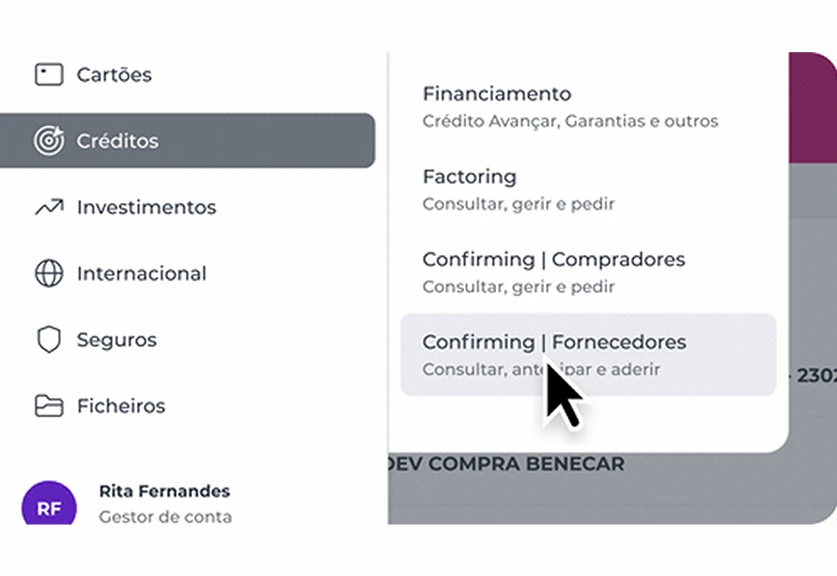
Access

All your information in one place

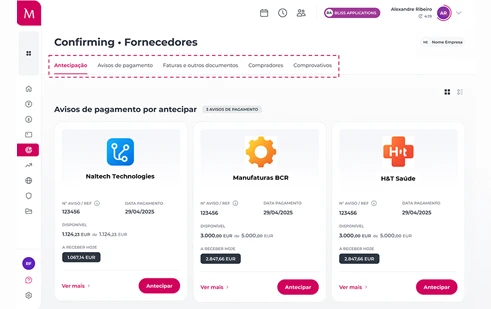
When you access this option, you will find, highlighted under the "Advance Payment" tab, all the Payment Notices available for advance payment, as well as the amount you can receive if you request the advance on that day.

You can also access the information you need by selecting any of the other four tabs.

All your information in a single access point.
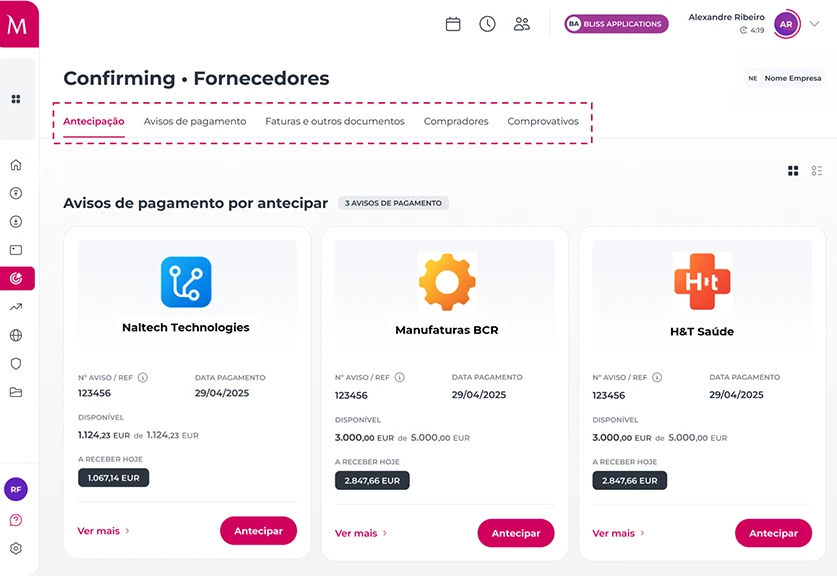
Advance payment

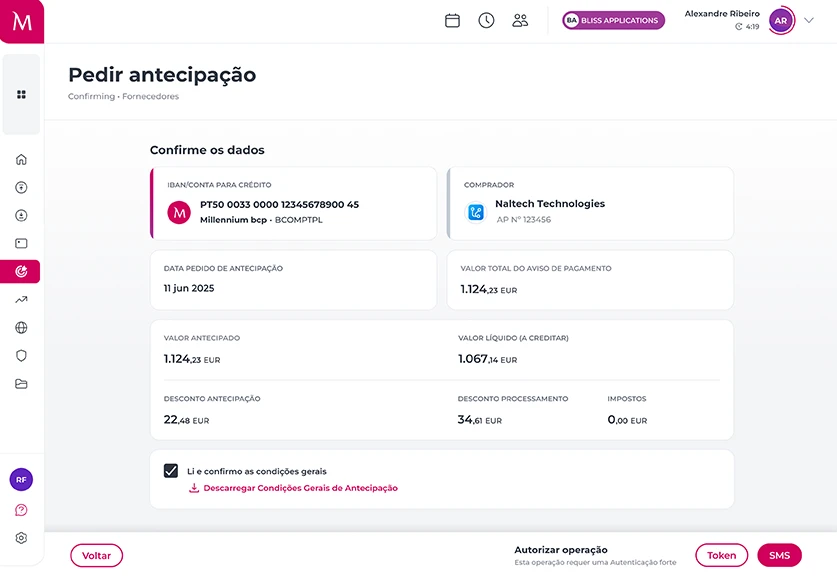
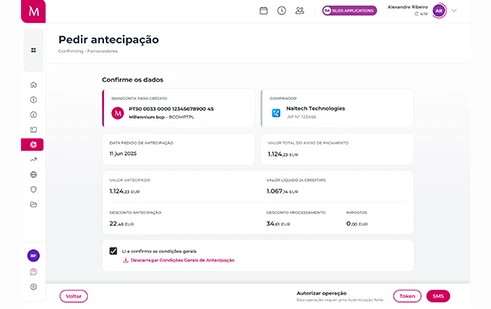
To proceed with the advance, simply click the button and you will be redirected to a confirmation page with the relevant details, namely the net amount to be received.

Confirm the information and the funds will be available in your account within minutes (immediately if you have a Millennium).
Partial advance payment

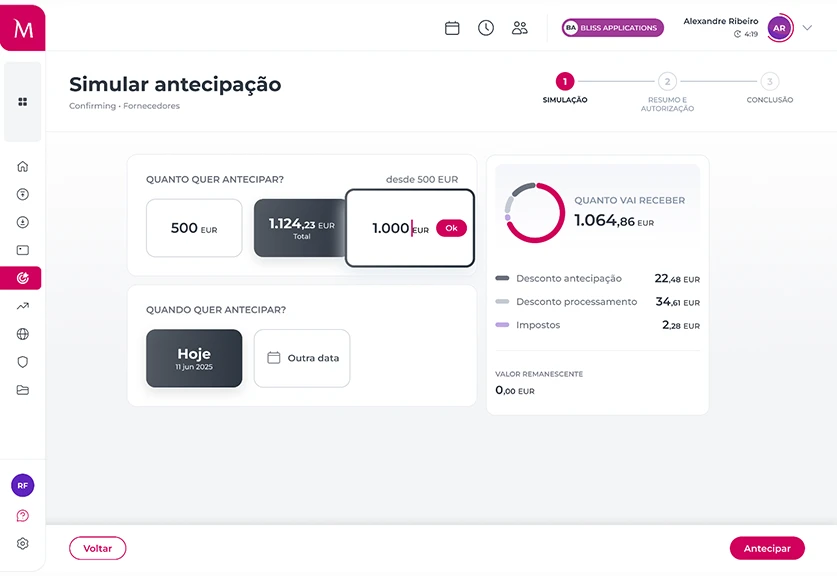
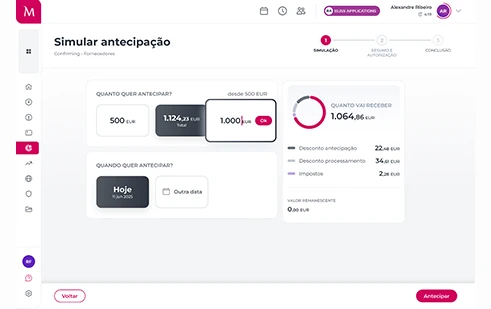
And if you want to anticipate only part of the Payment Notice, you can also do so. Just select the “Simulate” option, set the amount and, if you wish, also the date to be anticipated.
Before deciding, you will see the simulation.
Permanent advance payment

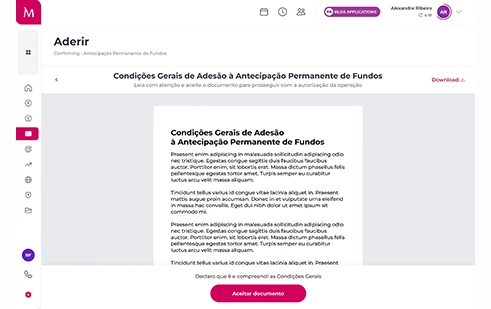
Permanent advance payment Body text: And if you have a Customer for whom you want to advance all invoice payments issued?
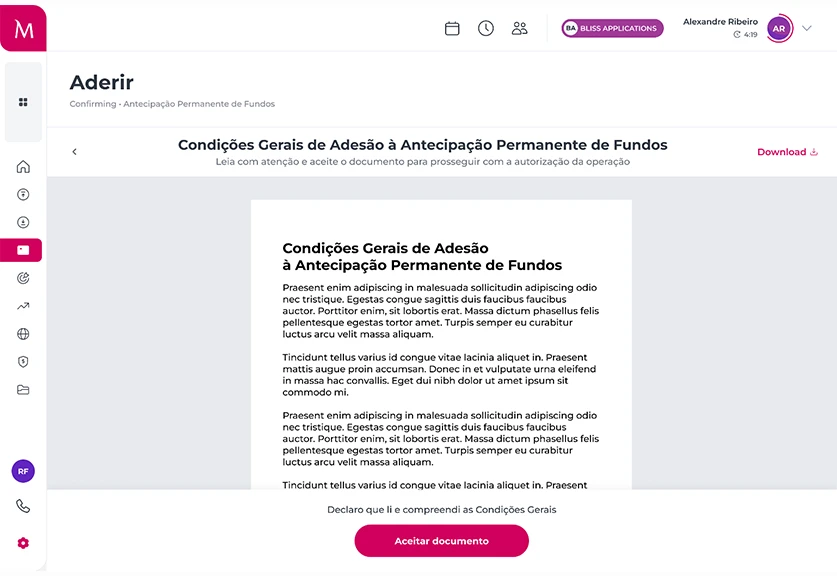
On the website, you can subscribe to the ongoing advance service, with no additional charges. You only need to accept the service Terms and Conditions, confirm the details and you are ready to go. From that moment on, you do not need to request advances every time your Customer sends Payment Notices to Millennium.
Consult and manage

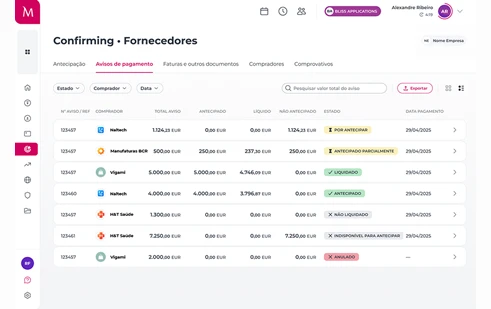
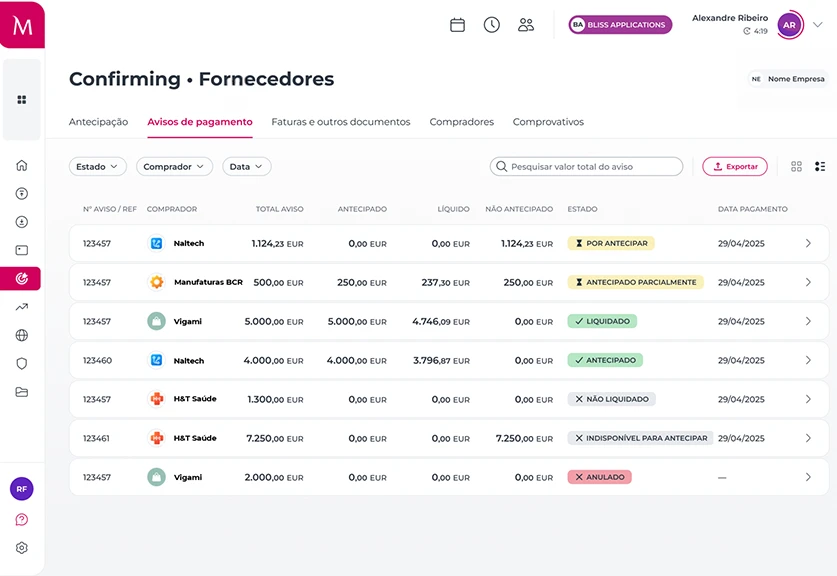
From a selected tab, you can access all the details of your relationship with your buyers, such as:

Payment Notices issued on your behalf and their current status;

The invoices you issued to your Customer that have been reported to
How to join

Follow these steps to advance payments

How to join

Follow these steps to advance payments

Identify yourself with the Mobile Digital Key
so we can collect and validate your data
Enter your VAT number
so we can validate your Company has an active Confirming contract
Confirm your details
using the validation code you will receive via email
Read and accept the General Terms and Conditions
to receive a final validation, and you’re all set!
Access the Corporate website
using the user code provided and a temporary password sent to your mobile phone

Cash and liquidity acceleration

Receive the advanced amounts just minutes after the request.

Benefits

Need more reasons to join?

Benefits

Need more reasons to join?

Cash and liquidity acceleration

Receive the advanced amounts just minutes after the request.

Benefits

Need more reasons to join?

Cash and liquidity acceleration

Receive the advanced amounts just minutes after the request.

Legal documents and other information

How much do payment advances cost?
For suppliers who are Millennium Customers or non-Customers, the request to advance payment of invoices on the Corporate website carries a fixed or percentage discount (most common), which is always disclosed before the transaction is completed.
The discount applied is negotiated directly with the Buyer. As an example, for a payment notice of €5,000 and an advance of 30 days relative to the expected payment date, the supplier receives €4,922.92 within minutes, corresponding to a 1% processing fee on the notice amount and a 6.5% advance fee.

Price list

Download

Need help?

We are here for you

Looking for a branch?
Find the nearest branch
Need to call us?
Call 21 004 24 24 (call to national landline)
Looking for a branch?
Find the nearest branch
Need to call us?
Call 21 004 24 24 (call to national landline)